
What is OnePageCRM?
OnePageCRM is a cloud-based customer relationship management (CRM) tool designed to help sales teams, small businesses, and freelancers stay organized and close more deals. It’s built around a simple concept — turning your CRM into an actionable to-do list that ensures no lead is forgotten.
Why Sales Teams Love It
Salespeople often drown in spreadsheets, scattered contacts, and endless email threads. OnePageCRM eliminates the chaos by keeping things clear, organized, and actionable. It’s not just a database — it’s a productivity tool.
How It Stands Out from Other CRMs
Unlike traditional CRMs that focus heavily on storing data, OnePageCRM is all about action. Its “Next Action” approach ensures every contact has a clear next step, helping teams avoid bottlenecks and lost opportunities.
Core Features of OnePageCRM
Action Stream – The To-Do List for Sales
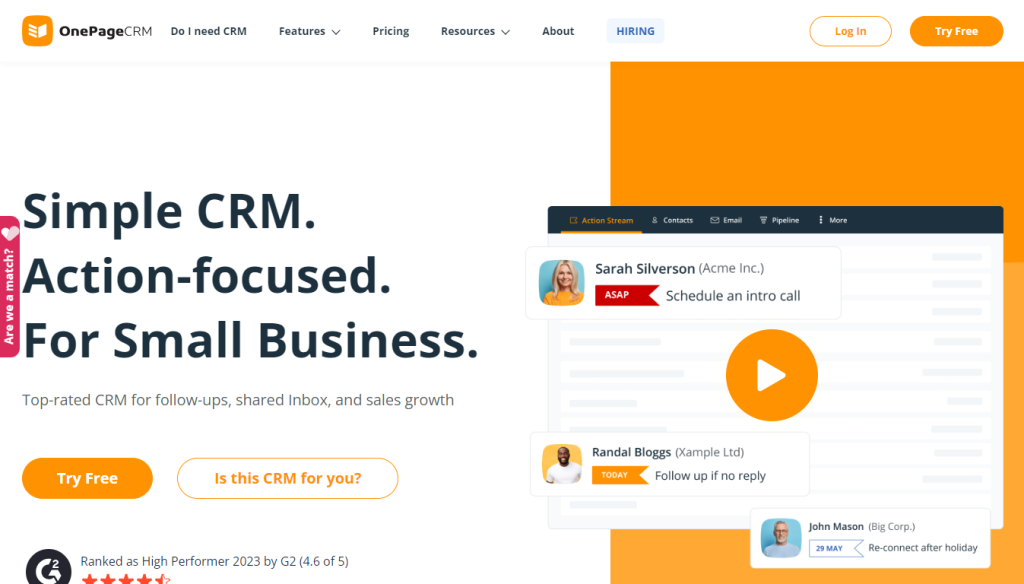
The Action Stream is OnePageCRM’s standout feature. It organizes your sales pipeline into a prioritized to-do list, so you know exactly who to follow up with and when.
Contact Management and Organization
Easily store, update, and categorize your contacts. Use tags, filters, and custom fields to keep your database neat and searchable.
Email Integration for Seamless Communication
Connect your Gmail, Outlook, or other email platforms to send and receive messages directly inside the CRM. You can also track email opens and clicks.
Sales Pipeline Management
Visualize your deals in a drag-and-drop pipeline. Monitor progress, update statuses, and keep an eye on the big picture.
Mobile App for On-the-Go Sales
Stay productive anywhere with OnePageCRM’s mobile app. Log calls, add notes, and follow up with clients directly from your phone.
Reporting and Analytics
Generate detailed reports on sales performance, conversion rates, and team productivity to identify areas for improvement.
Benefits of Using OnePageCRM
Boosts Sales Productivity
No more guesswork. You always know your next move, which keeps your sales momentum going.
Keeps Teams Focused
The action-based workflow minimizes distractions and ensures everyone is working toward the same goals.
Improves Customer Relationships
Consistent follow-ups mean better client communication and stronger relationships.
Enhances Accountability
Managers can see what each team member is working on, making it easier to track performance.
Simplifies Daily Workflow
Everything — from emails to deal tracking — is in one place, eliminating the need to jump between tools.
OnePageCRM for Different Users
Small Businesses
Affordable and easy to set up, OnePageCRM is perfect for small teams that need an efficient CRM without complexity.
Freelancers
Solo professionals can keep track of leads, projects, and follow-ups without feeling overwhelmed.
Large Sales Teams
Scales easily with multiple team members, offering collaborative features and clear oversight.
Remote Teams
Cloud-based access means your team can work from anywhere while staying connected.
Integrations That Make OnePageCRM More Powerful
Email Platforms
Integrates with Gmail, Outlook, and other providers for direct communication.
Marketing Tools
Connect with Mailchimp or ActiveCampaign for email marketing campaigns.
Accounting and Invoicing Software
Integrates with QuickBooks and Xero for seamless invoicing and expense tracking.
Automation Tools
Works with Zapier to connect to hundreds of other apps and automate repetitive tasks.
OnePageCRM Pricing Plans
Free Trial
Offers a free trial so you can explore the features before committing.
Paid Subscription Tiers
Pricing is straightforward, with a per-user monthly fee that includes all core features.
Value for Money
Compared to other CRMs, OnePageCRM offers a competitive price with no unnecessary add-on costs.
Pros and Cons
Strengths
Simple, intuitive interface
Action-based workflow
Strong mobile app
Affordable pricing
Limitations
Limited advanced customization
Fewer native integrations compared to larger CRMs
How to Get Started with OnePageCRM
Step-by-Step Setup Guide
Sign up for the free trial.
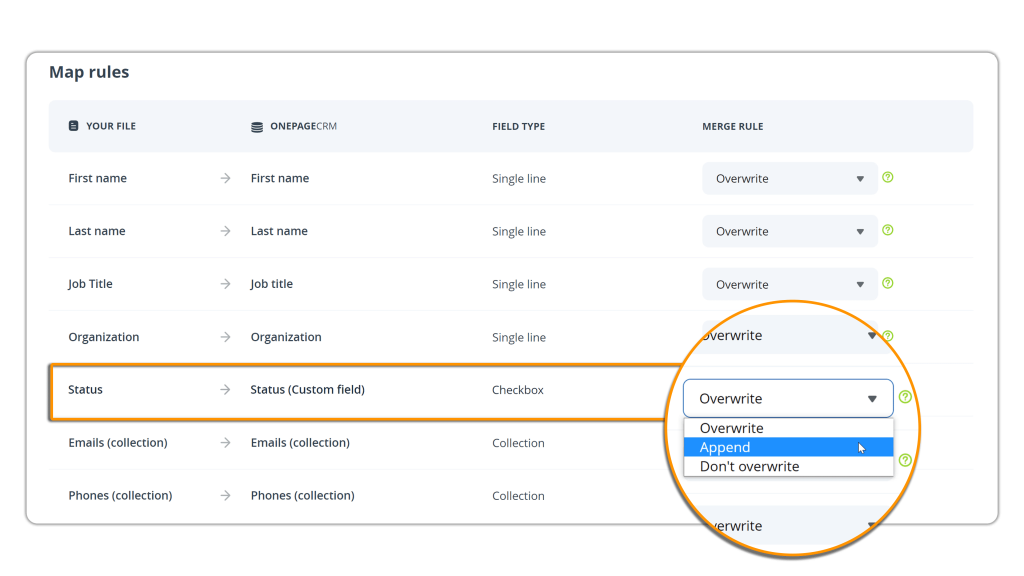
Import your existing contacts.
Connect your email account.
Organize your pipeline.
Set “Next Actions” for each contact.
Best Practices for Maximum ROI
Keep your Action Stream up to date daily.
Use tags to segment contacts.
Review reports regularly to spot trends.
Competitors and Alternatives
HubSpot CRM
Free with many features but can get expensive for advanced tools.
Pipedrive
Great for visual pipeline management but pricier.
Zoho CRM
Highly customizable but has a steeper learning curve.
Expert Tips for Success
Automate Follow-Ups
Set reminders and triggers to ensure no client is ignored.
Use Tags and Filters
Quickly find high-value leads or segment by industry.
Track Metrics Consistently
Measure your sales KPIs regularly to optimize your strategy.
Conclusion
OnePageCRM is more than just a contact database — it’s a sales productivity engine. Its action-driven approach keeps your pipeline moving, ensures timely follow-ups, and helps you close more deals. Whether you’re a freelancer, small business owner, or part of a large sales team, this CRM can simplify your workflow and give you the clarity you need to succeed.
FAQs
1. Is OnePageCRM good for beginners?
Yes. Its simple interface and step-by-step setup make it ideal for first-time CRM users.
2. Can I integrate it with Gmail or Outlook?
Absolutely. You can connect your email for direct communication within the CRM.
3. Does OnePageCRM work offline?
Yes. The mobile app allows offline access, syncing data when you reconnect.
4. How secure is my data on OnePageCRM?
Your data is encrypted and backed up regularly to ensure security.
5. What makes OnePageCRM different from other CRMs?
Its unique “Next Action” approach ensures no lead falls through the cracks.